Manage YugabyteDB releases
Before you can upgrade your universe to a specific version of YugabyteDB, verify that the YugabyteDB version is available in your YugabyteDB Anywhere instance and, if necessary, import it.
View YugabyteDB releases
To view the YugabyteDB releases that are available in your YugabyteDB Anywhere instance, click the user profile icon and choose Releases.
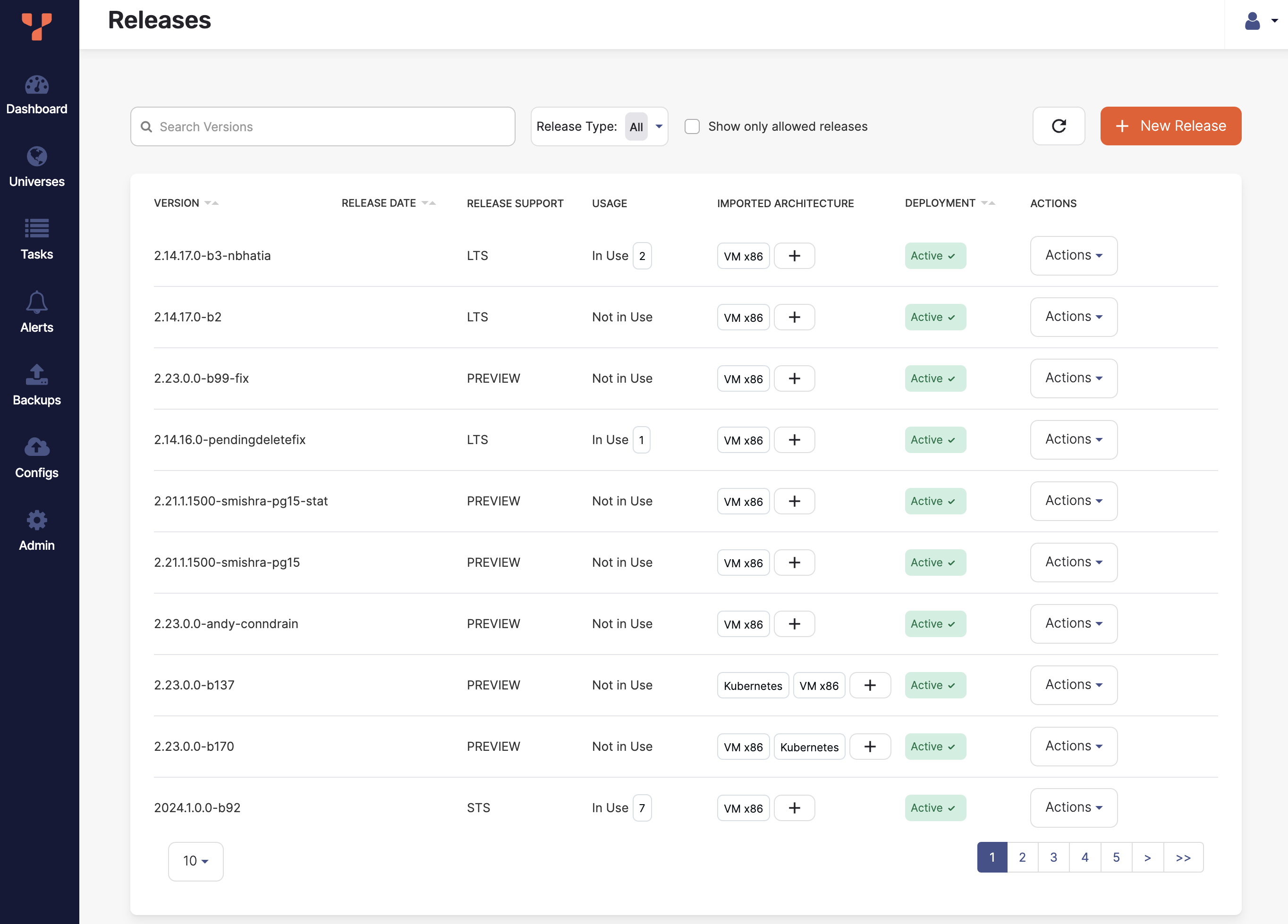
You can filter the list by text and release type, and choose to display only allowed releases.
To view the release details, select a release in the list.
To delete or disable a release, click its corresponding Actions. Disabled releases are not available when creating universes.
How to get YugabyteDB
You can either download the YugabyteDB release to your local machine before import, or use a URL to import the release directly.
You can obtain YugabyteDB from the following locations:
-
Choose the release series you want, to navigate to the release notes. Each release includes a Downloads section with links to the release tar.gz file.
-
Direct download. You can download a release using the following URL format:
https://software.yugabyte.com/releases/<version>/yugabyte-<version-build>-<architecture>.tar.gzWhere architecture can be one of
linux-x86_64orel8-aarch64. For example:https://software.yugabyte.com/releases/2025.2.2.1/yugabyte-2025.2.2.1-b1-linux-x86_64.tar.gz
YugabyteDB release file
A YugabyteDB release file has the following format:
yugabyte-<version-build>-<architecture>.tar.gz
For example:
yugabyte-2025.2.2.1-b1-linux-x86_64.tar.gz
When importing into YugabyteDB Anywhere, use the tar.gz file; do not untar the file before importing.
Importing Stable and Preview versions
By default, you cannot import stable versions of YugabyteDB if you are running a preview version of YugabyteDB Anywhere (for example, v2.25.x).
To enable this import, set the YugabyteDB Anywhere runtime flag yb.allow_db_version_more_than_yba_version to true. See Manage runtime configuration settings.
Import a YugabyteDB release
If the YugabyteDB release you want to use for your universe is not in the Releases list, you must import it to your YugabyteDB Anywhere instance.
If you are running YugabyteDB Anywhere airgapped, download the YugabyteDB release to a machine that is accessible to your instance so that you can upload the file.
If your YugabyteDB Anywhere instance has internet access, you can import the release from a bucket or an internal server using a URL.
To import a YugabyteDB release, do the following:
-
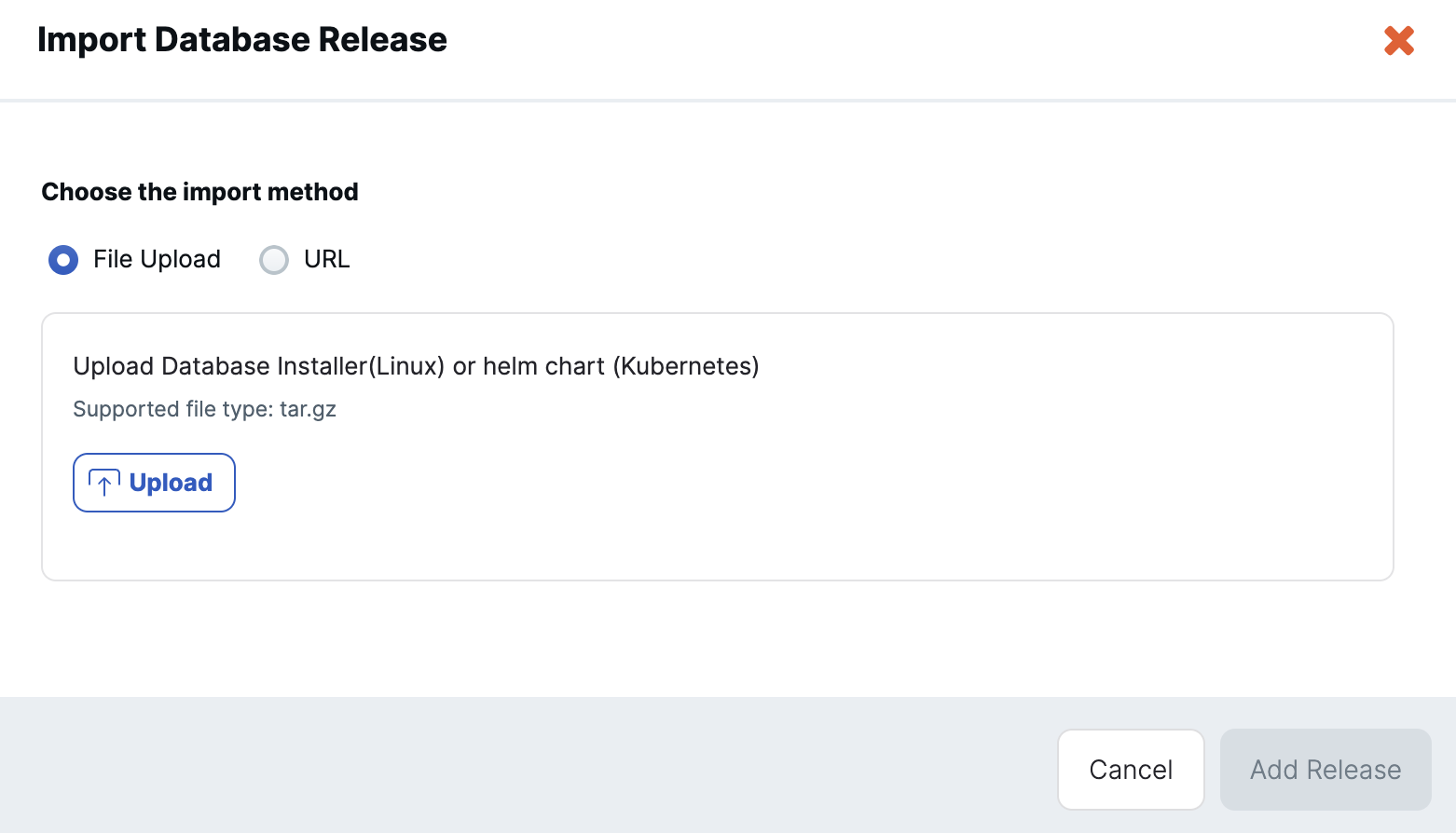
Navigate to Releases and click New Release to open the Import Database Release dialog.
-
Choose whether to upload the release as a file, or download the release via a URL.
-
If uploading a file, click Upload and select the release file. Upload the package in tar.gz format. For example:
yugabyte-2025.2.2.1-b1-linux-x86_64.tar.gz -
If loading the release from a URL, enter the URL of the storage location.
Note that the package is not downloaded and cached locally for future universe creation. The URL must remain available, and every software installation on a node (for example, for scale out of a universe) downloads the release from this location.
-
-
Click Fetch Metadata. YugabyteDB Anywhere obtains the release details from the file.
If YugabyteDB Anywhere is unable to extract the release details, provide them manually by entering the release version and specifying the deployment type and architecture.
-
Click Add Release.
When imported, the release is added to the Releases list.
Add an architecture for a release
If a the architecture for a YugabyteDB release that you want to install on a universe is not available (for example, you have x86 but require ARM), add it as follows:
-
Navigate to Releases, locate the YugabyteDB release in the list, and click the plus button in the Imported Architecture column; or click Actions and Add Architecture to open the New Architecture dialog.
-
Choose whether to upload the release as a file, or download the release via a URL.
-
If uploading a file, click Upload and select the release file. Upload the package in tar.gz format. For example:
yugabyte-2025.2.2.1-b1-el8-aarch64.tar.gz -
If loading the release from a URL, enter the URL of the storage location.
Note that the package is not downloaded and cached locally for future universe creation. The URL must remain available, and every software installation on a node (for example, for scale out of a universe) downloads the release from this location.
-
-
Click Fetch Metadata. YugabyteDB Anywhere obtains the release details from the file.
If YugabyteDB Anywhere is unable to extract the release details, provide them manually by entering the release version and specifying the deployment type and architecture.
-
Click New Architecture.
When imported, the architecture is added to the Release.
Kubernetes
For Kubernetes universes, if a new Kubernetes release architecture is required, do the following:
- Create the release using the related YugabyteDB x86/ARM build.
- Add a new architecture to the newly created release and provide the helm chart.
As metadata is pulled from the YugabyteDB build, this will populate all the required data fields when creating the release, and simplify adding the helm chart after.